Who is this article for?
Human & Work group employees whose computer is provided and managed by Bi Support.
What is the Self Service Portal?
The Endpoint Central Self Service Portal lets you install approved applications on your own, without having to contact IT support. It is the equivalent of the Company Portal available on computers managed by TELUS Health.
How to use it:
1. Open the portal
In the Windows taskbar, at the bottom right of your screen, click the small ^ arrow to show hidden icons.
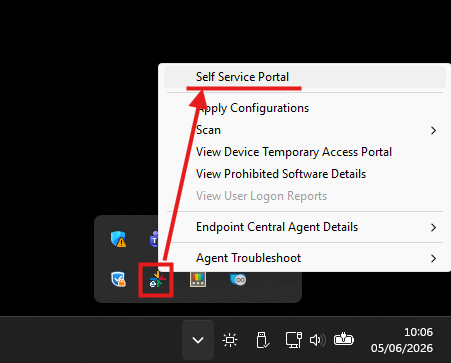
Locate the Bi Agent icon, right-click on it, then click Self Service Portal.
2. Install an application
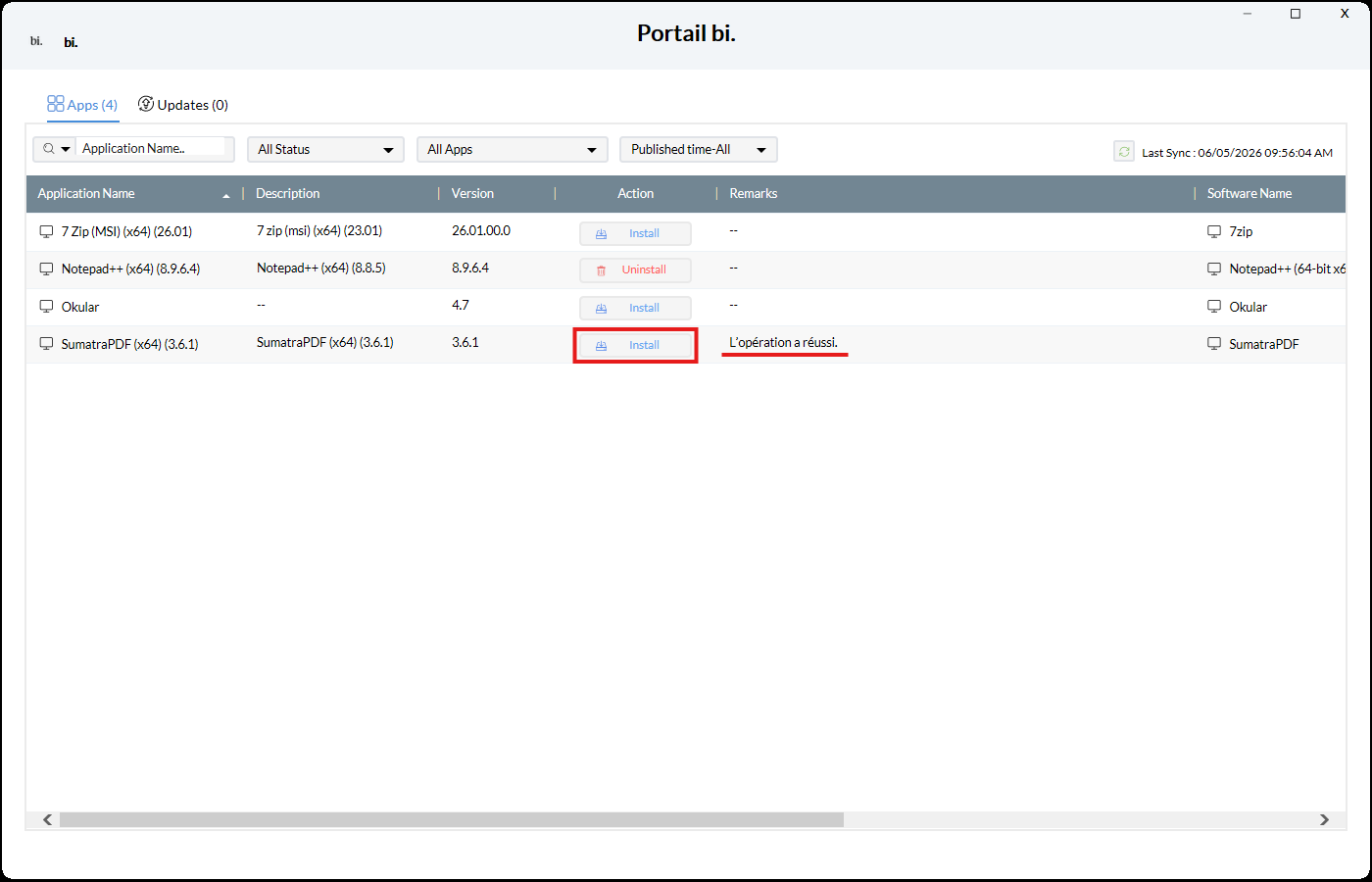
The list of available applications appears. Next to the application you want, click Install and wait. Once the status shows Operation successful, the installation is complete.
3. Launch the installed application
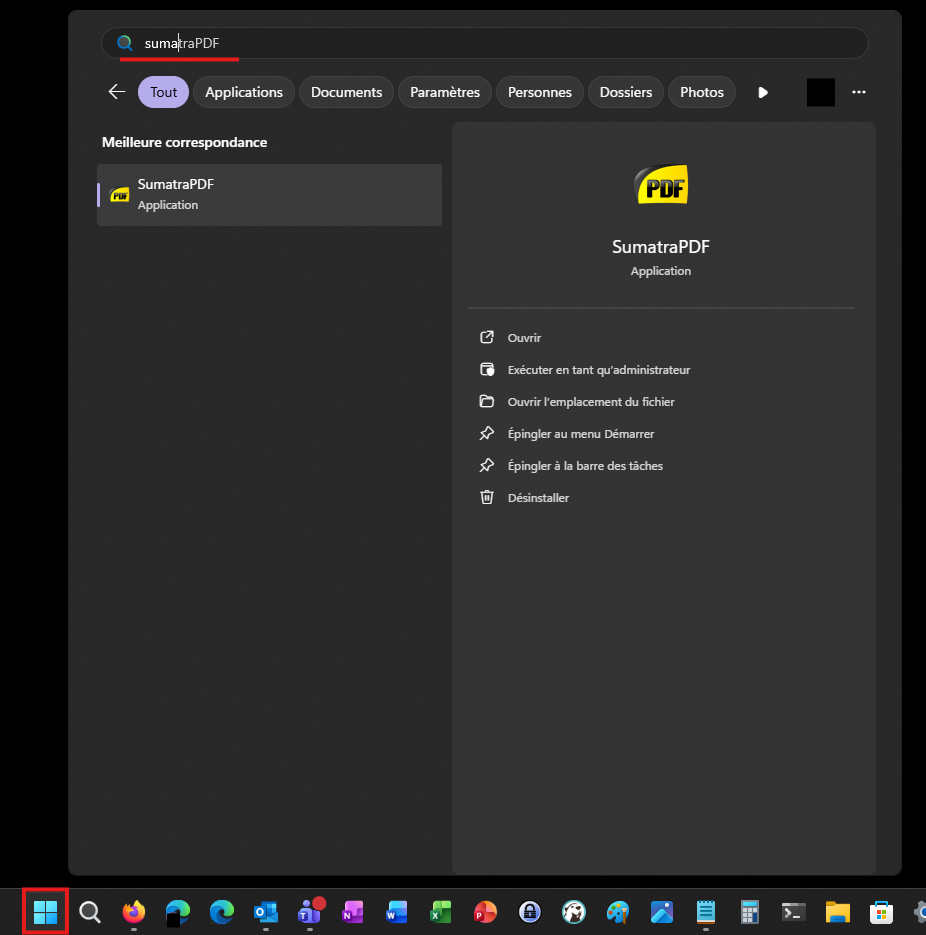
Click the Start menu or press the Windows key, then type the name of the application to find and open it.
Notes
- You can check the Update tab in the portal to see if updates are available for your applications.
- If an application recently requested from support does not appear in the list, check the last synchronization date shown in the portal. If it is not recent, click the synchronization button to restart it, then wait a few moments.

Cet article a-t-il été utile ?
C'est super !
Merci pour votre commentaire
Désolé ! Nous n'avons pas pu vous être utile
Merci pour votre commentaire
Commentaires envoyés
Nous apprécions vos efforts et nous allons corriger l'article