Enabling IPv6 can lead to connectivity problems with the company VPN.
The following steps will walk you through disabling it on Windows 11 via your settings :
- Open Settings
- Click on the “Network and Internet” section
- Click on “Advanced Network Settings”.
- Then go to “Additional network adapter options”.
- Select the network you’re connected to, then click on “Properties”.
- Look for the “Internet Protocol version 6” section and uncheck the box. Click on “OK”.
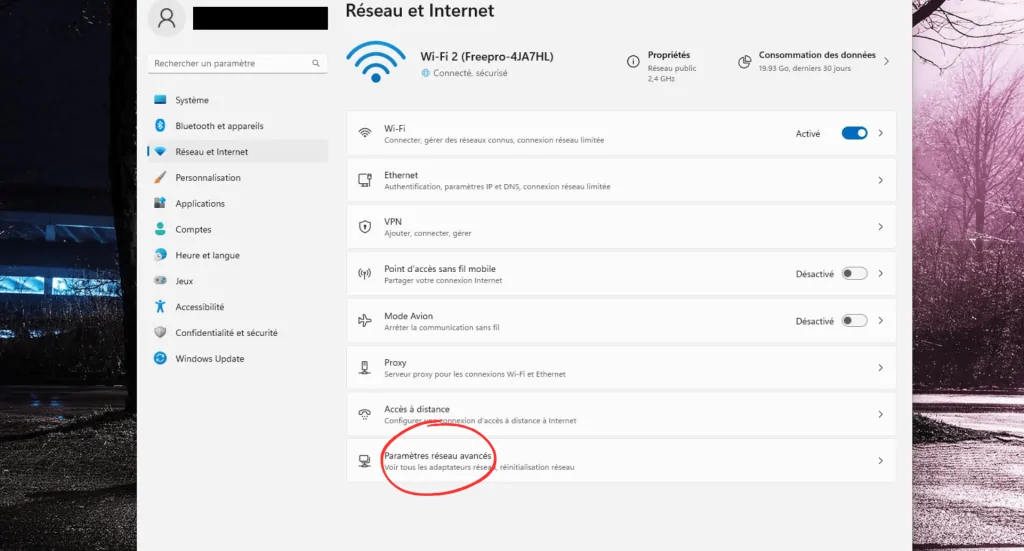
Step 1: After opening your Windows settings, go to the "Network and Internet" section, then to "Advanced network settings"
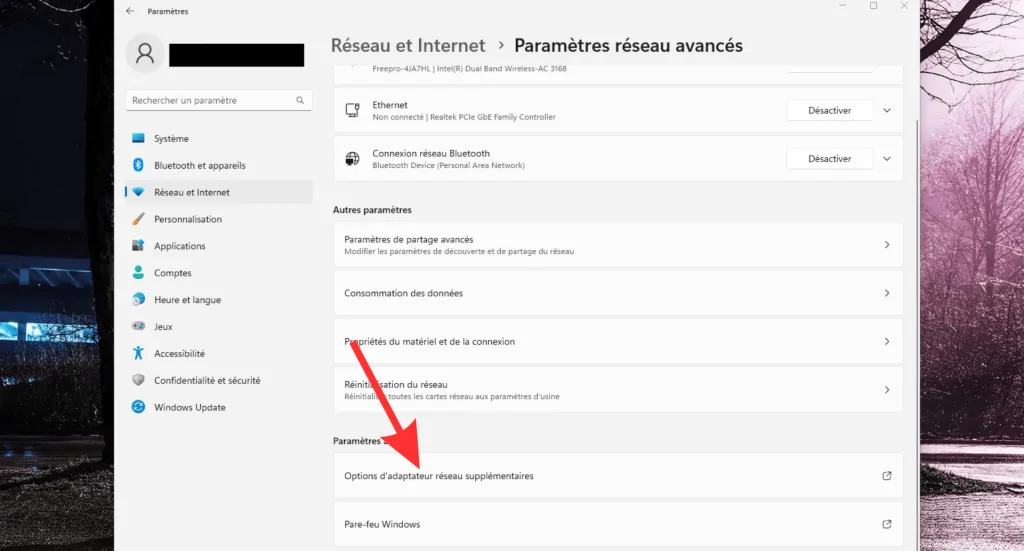
Step 2: Open the additional network adapter options
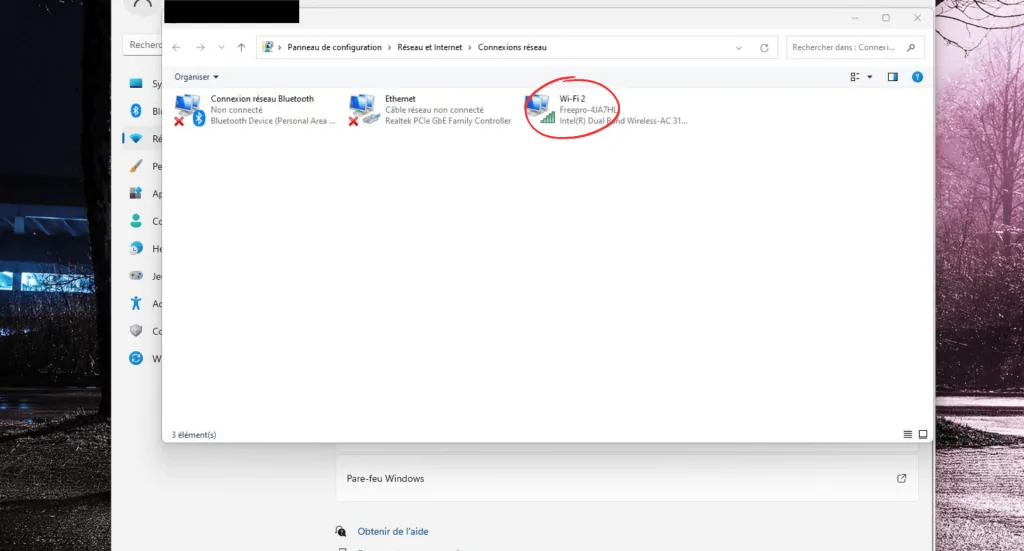
Step 3: Select your local network
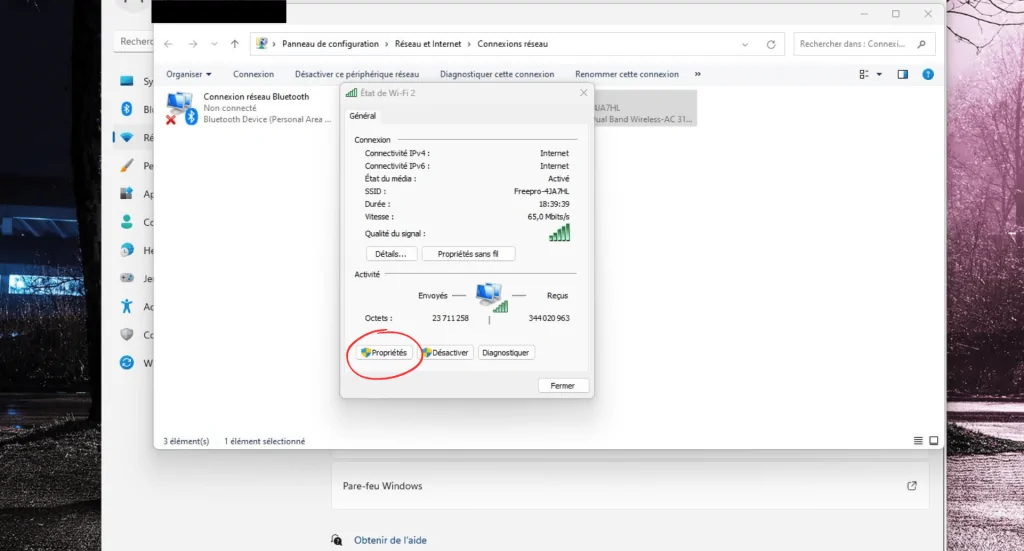
Step 4: Open the properties
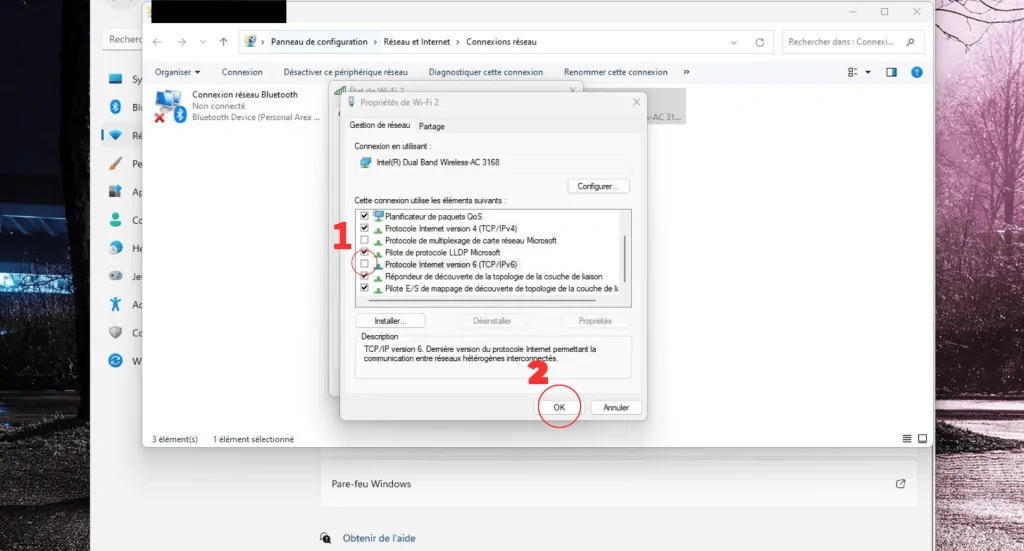
Step 5: Look for IPv6, uncheck the box, then click "OK"
IPv6 is now disabled on your PC. While not required, restarting your PC after this operation is recommended.
Cet article a-t-il été utile ?
C'est super !
Merci pour votre commentaire
Désolé ! Nous n'avons pas pu vous être utile
Merci pour votre commentaire
Commentaires envoyés
Nous apprécions vos efforts et nous allons corriger l'article